
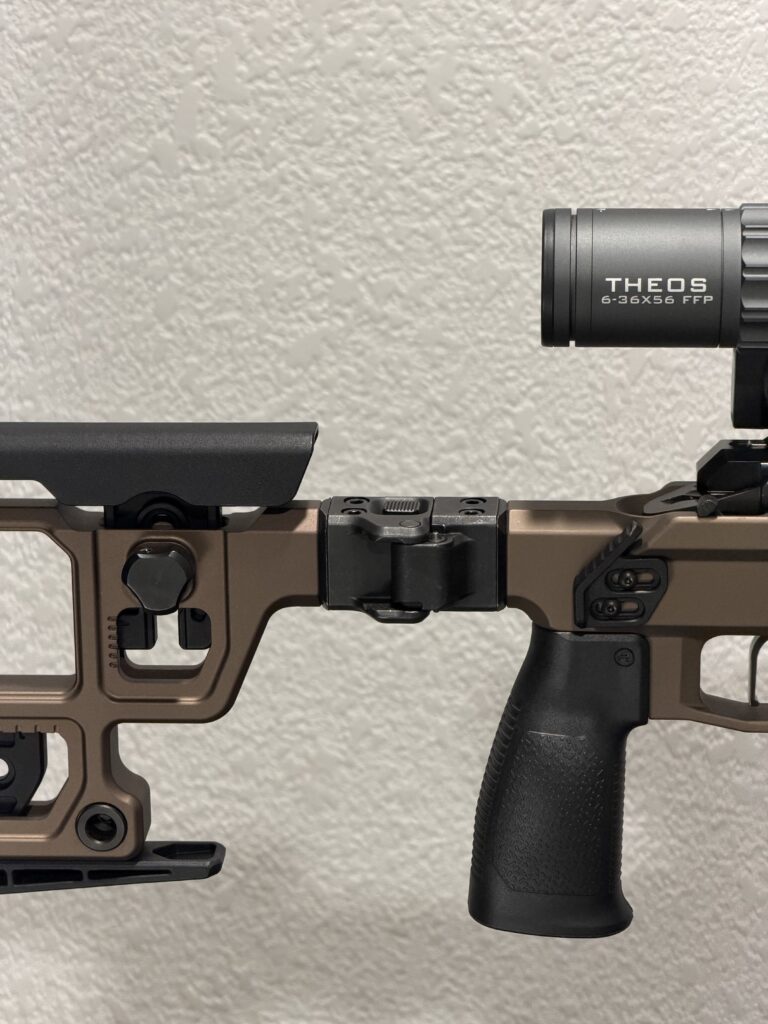
The Rokin Precision Solus Chassis Folding Stock Adapter Set lets you run a side-folding stock on a Solus Competition chassis, including Aero Precision Solus models, using a Magpul folding stock hinge (MAG999, sold separately). Here is the full install, straight from our product instructions.
What you need
- Rokin Solus Chassis Folding Stock Adapter Set (2 adapters, 4 fasteners)
- Magpul folding stock hinge, part number MAG999 (not included)
- 3/16 in. Allen key
- 5/32 in. Allen key
- Inch-pound torque wrench
Before you start
- Adapters and fasteners may have machining oil on them. Wipe them clean before installing.
- The hinge can be installed to fold left or right. Folding to the right clears the standard stock and the bolt handle with the bolt closed; stock modifications may change that.
- Aftermarket stock weights will prevent the stock from folding fully.
Installation
- Remove the stock spacer using a 3/16 Allen key.
- Install the Solus-to-hinge adapters on the chassis and on the stock. Torque to 60 ± 5 in-lb.
- Lower the hinge onto the adapters from the top.
- Install the 4 fasteners into the hinge using a 5/32 Allen key. Torque to 60 ± 5 in-lb.
- Enjoy your folding stock.
Related
- Solus Chassis Folding Stock Adapter Set
- Solus Chassis Picatinny Stock Adapter (run any 1913 Picatinny stock, brace or hinge instead)
- All Aero Solus parts
Rokin Precision is not affiliated with Aero Precision or Magpul. Brand names are used for fitment reference only.